Journal · Planning and productivity
The 2027 Digital Planner for GoodNotes
By Fay & Form Studio · 7 October 2026
As designers of planning and productivity tools at Fay & Form Studio, we know a thing or two about getting organised. The right planner can make a big difference to your year. For many, a digital approach offers great flexibility. This is especially true for the 2027 digital planner for GoodNotes. A digital planner is only faster than paper once the links take you to today in one tap. We've designed our planners to make that navigation smooth and intuitive.
If you're an iPad user in Australia, you might be wondering if a digital planner is the right fit for you. Let's look at how these tools work, what makes them useful, and how to get the most out of them in apps like GoodNotes or Notability.
What is a 2027 Digital Planner for GoodNotes?
A digital planner is essentially a PDF document designed with interactive links, made to be used on your iPad or other tablet with a stylus. It offers the experience of a paper planner but with digital advantages. Our Fay & Form 2027 Digital Planner, for example, is priced at A$16.90. It's a dated weekly and monthly planner, available with either a Monday or Sunday start, designed specifically for GoodNotes, Notability, and any other PDF annotation app.
Our digital planners include many features to help you plan your whole year. Inside the 92 pages, you'll find more than 4,000 links for quick navigation. Here’s a closer look at what’s included:
- Filled Example: A January calendar and a real week are included so you can see exactly how every page works from the start.
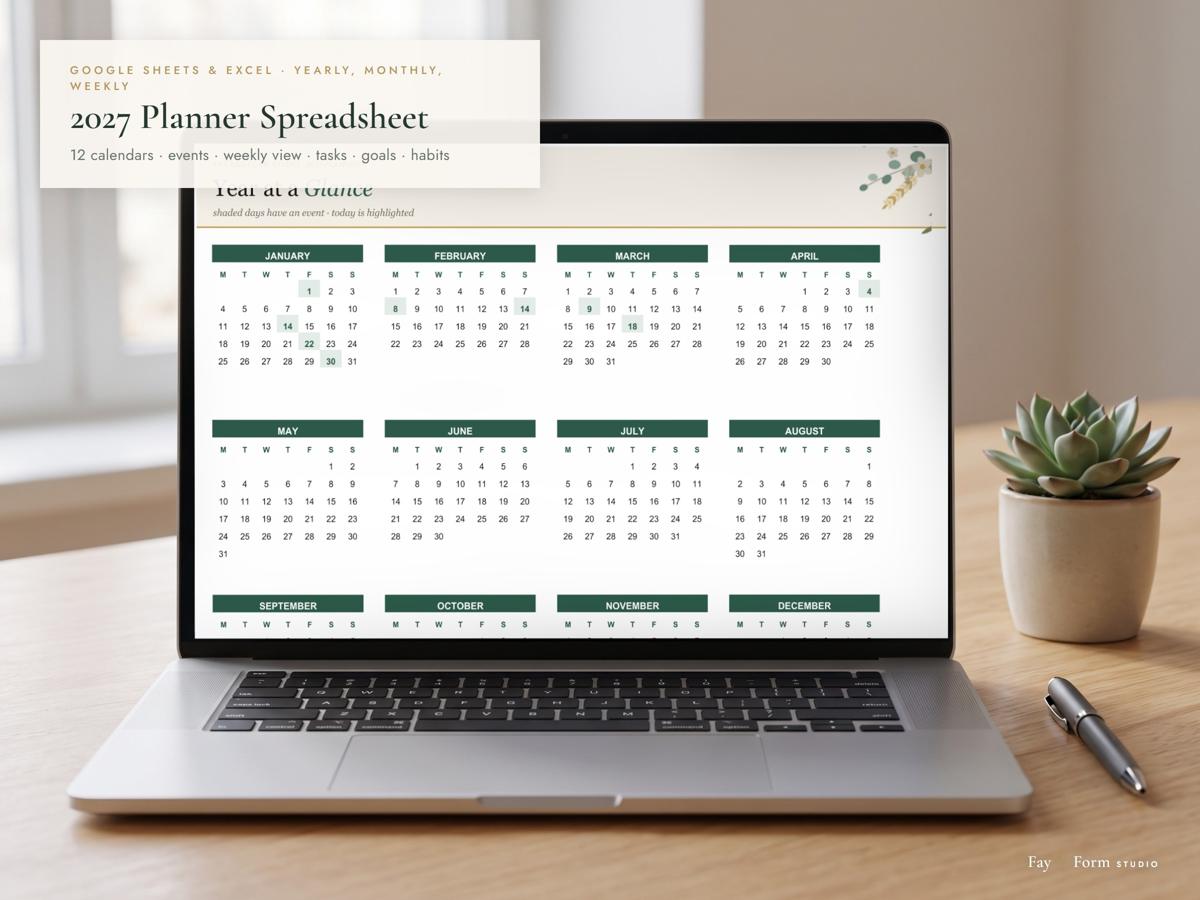
- Year at a Glance: 12 mini calendars where every date opens its week and every month name opens its month.
- 2027 Goals: Space for a word for the year, four life areas, and a quarterly focus.
- Birthdays & Key Dates: Write them once and have them ready to glance at all year.
- Monthly Layouts: Every month has a dated calendar with a week-number column, plus a Month Plan page. This includes goals, a to-do list, a habit tracker sized to the month's real length (with weekends marked), and sections for Wins, Lessons, and Next month.
- Weekly Pages: 53 dated weeks, running from 28 December 2026 to 2 January 2028. Each week includes your Top 3 priorities, a mini month with the current week highlighted, seven dated day boxes (with weekends tinted), and handy links to the previous and next week.
- Review & Notes: A '2027 in Review' section, three dedicated Notes pages, and two undated Daily Pages that you can duplicate whenever you need more space for daily planning.
Whether you prefer your weeks to start on Monday or Sunday, we have an option for you. You can find the Monday start version or the Sunday start version, where weeks begin on Sunday, a common layout in places like the US and Canada.
Benefits of a Hyperlinked Digital Planner
One of the biggest advantages of a digital planner is its hyperlinked nature. A hyperlinked digital planner means that many elements on the page are clickable, instantly taking you to another section. Imagine tapping a date on your monthly calendar and instantly jumping to that specific week's planning page. Or clicking a month name from the 'Year at a Glance' to open that month's full calendar. This is how the links work.
Our 2027 Digital Planner has more than 4,000 links. You can tap any date to jump to that week, tap a week number from the month view, or use the tab-like navigation at the top or side of the planner. This saves you from endless scrolling. Instead of flipping through physical pages or tediously scrolling through a long PDF, a single tap gets you where you need to be. This instant navigation is what makes a hyperlinked digital planner so efficient for daily use.
Getting Started with Your Digital Planner for iPad
Using a digital planner for iPad is straightforward once you know the basics. Fay & Form planners are digital downloads, so nothing is physically posted to you. Here’s how to get started:
- Importing the PDF: After purchasing, you'll download the planner PDF. Open it directly into your preferred annotation app, such as GoodNotes or Notability. Most apps have an 'Open With' or 'Share' option that lets you choose where to import the file.
- Navigation Modes: GoodNotes has two main modes: 'Read-Only' and 'Writing'. In 'Read-Only' mode (often indicated by a pen icon with a cross through it, or a circle icon), you can tap on the hyperlinks to navigate. In 'Writing' mode, you can use your stylus to write, draw, and highlight directly on the pages. You’ll switch between these modes frequently.
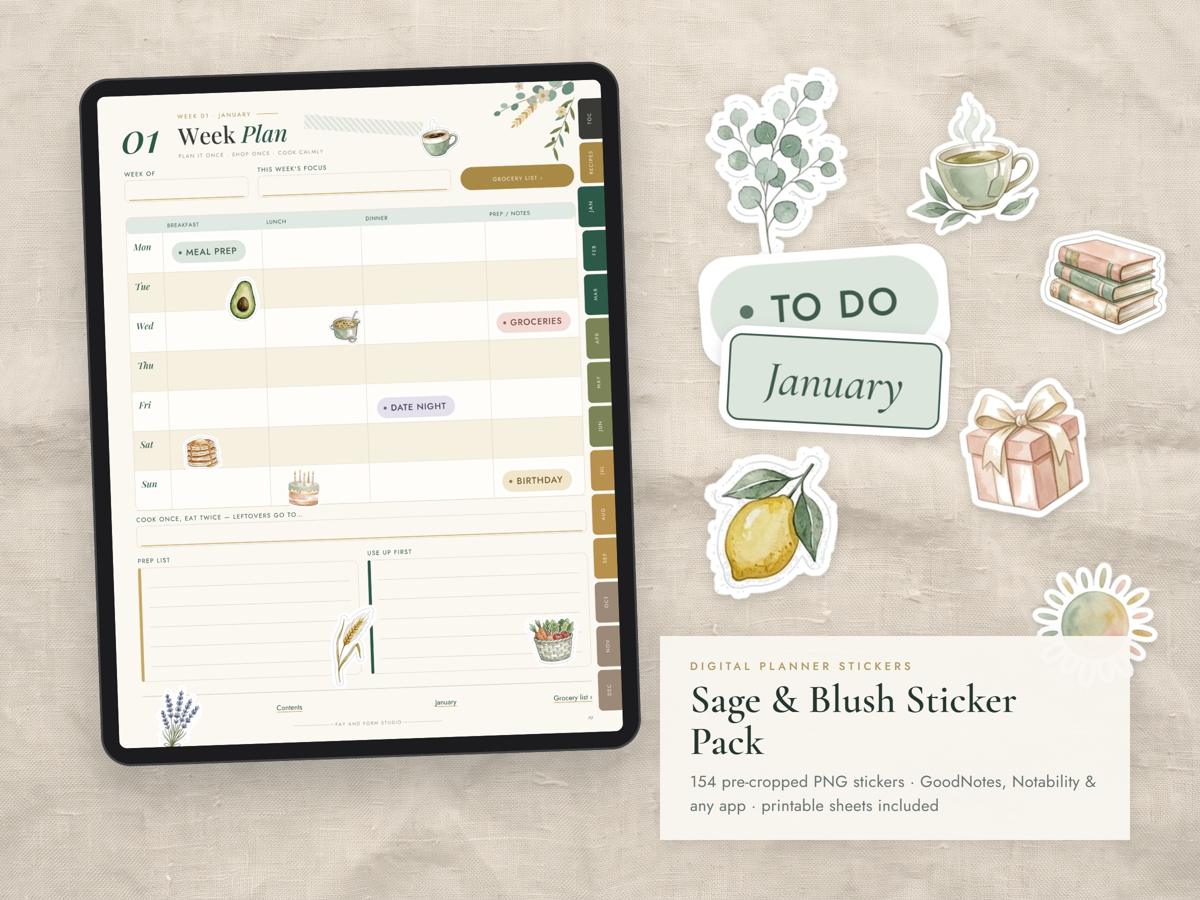
- Using Stickers: Digital stickers are PNG images that you can import and paste into your planner pages. They work just like physical stickers but are reusable and easily repositioned. Many apps allow you to save frequently used stickers as 'elements' or 'favourites' for quick access.
- The Lasso Tool: This is your best friend in a digital planner. Use the lasso tool to select handwritten notes, text boxes, or images. You can then move, resize, rotate, or duplicate them. This flexibility is a huge advantage over paper.
Once you’ve got the hang of importing and basic navigation, your digital planner for iPad will feel natural.
Why Choose a GoodNotes Planner Over Paper?
Many people find that a GoodNotes planner offers significant advantages over traditional paper. Here are some reasons why it might be a better fit for you:
- Portability: Your entire planner, along with all your notes and other documents, lives on your iPad. No more carrying multiple notebooks or heavy binders. Everything is in one place, ready when you are.
- Searchability: GoodNotes can often search your handwritten notes (if your handwriting is legible), as well as typed text. This means you can quickly find that specific appointment or idea you jotted down weeks ago.
- Customisation: Digital planners offer many customisation options. You can change pen colours, highlighter shades, add digital stickers, photos, and even type text. If you make a mistake, simply use the undo button or the eraser tool – no crossing out or messy white-out required.
- Environmental Impact: Choosing a digital planner means no paper waste. You use one file year after year (though you'll need to purchase a new dated planner each year, like our 2027 version for A$16.90).
- Backup and Security: Your digital planner can be backed up to cloud services like iCloud, Dropbox, or Google Drive. This protects your plans from loss or damage. If your iPad is lost or broken, your planner can be restored to a new device.
- Cost-Effective Over Time: While there's an initial cost for the planner and your iPad, you save on continually buying physical planners, pens, and accessories.
For those who value flexibility, organisation, and the power of digital tools, a GoodNotes planner can be a great help.
Tips for Your GoodNotes Planner
To get the most from your digital planner, especially a GoodNotes planner, consider these practical tips:
- Establish a Routine: Just like with a paper planner, consistency is key. Set aside a few minutes each morning or evening to review and update your planner.
- Use the Daily Pages: Our 2027 Digital Planner includes two undated Daily Pages. Duplicate these whenever you need more detailed daily planning. They’re perfect for busy days or when you need to break down larger tasks.
- Customise Your Habit Tracker: The monthly habit tracker is sized to the month's real length. Use it to track anything from hydration to exercise. Seeing your progress visually can be a great motivator. For more ideas, check out our article on habit tracking.
- Set Meaningful Goals: Utilise the '2027 Goals' and 'Month Plan' sections. Break down larger yearly goals into smaller, quarterly and monthly focuses. This makes them more achievable.
- Back Up Regularly: Get into the habit of backing up your GoodNotes data. Most apps have automatic backup options to cloud services. This ensures your hard work is safe.
- Explore the Fay & Form App: Beyond our digital planners, Fay & Form also runs a household planner app. The free plan opens one planner in the app for one person, with no card needed. If you want to share with the family, Tier 1 starts at A$29 a year. Ready-made app planners today include the Ramadan kids planner, a home garden planner, and a dog care planner, each with a free demo filled with sample entries. You can learn more about our app and pricing on our planner app page.
Monday Start or Sunday Start: Which is Right for You?
The choice between a Monday start and a Sunday start for your weekly layout often comes down to personal preference and how your week typically flows.
- Monday Start: This is a common layout in Australia and many European countries. It groups the weekend days (Saturday and Sunday) together at the end of the week. This can be helpful if you view your work or school week as starting on Monday and your weekend as a distinct block. Our 2027 Digital Planner for GoodNotes (Monday start) is designed this way.
- Sunday Start: This layout is standard in the US and Canada. It places Sunday at the beginning of the week. Some people prefer this as it aligns with traditional calendar views and can help in planning for the week ahead starting from the weekend. Our 2027 Digital Planner for GoodNotes (Sunday start) caters to this preference.
Consider how you naturally plan your week. Do you see Sunday as part of the weekend or the start of your new week's preparations? There's no right or wrong answer, just what works best for your planning style.
Frequently Asked Questions
How do I import a digital planner into GoodNotes?
After downloading your planner PDF, locate the file on your iPad. Tap on the file, and then select the 'Share' icon (a square with an arrow pointing up). From the options, choose 'Open in GoodNotes' or 'Copy to GoodNotes'. GoodNotes will then prompt you to import the document, usually as a new document.
Does a GoodNotes planner work on Android?
GoodNotes is an iOS-exclusive application, meaning it only works on Apple devices like iPads and iPhones. However, the PDF format of a digital planner is universal. You can use it on Android tablets with other PDF annotation apps such as Xodo, Noteshelf (which is available on Android), or Penly. The hyperlinking functionality should still work in these apps.
What is a hyperlinked planner?
A hyperlinked planner is a digital PDF document where specific text, dates, or graphical elements (like tabs) are embedded with links. When you tap on these links within your annotation app, you are instantly navigated to another specific page or section within the same PDF file. This allows for quick and efficient movement between months, weeks, days, or index pages without manual scrolling.
Embracing a digital planner can change how you approach your year. The flexibility, customisation, and practical navigation of this 2027 digital planner can help you stay on track and achieve your goals. It’s a practical tool that fits easily into your digital life.
Ready to try it for yourself?